Storyline
Sign in with GitHub

A walkthrough of your pull request

The factory tested the code. Claude reviewed the PR. You still want to know how it works.

Storyline breaks the PR into one chapter per change, with notes beside the diff.

What am I about to merge?

Read the before and after, see what else the change touches, and get a time estimate for the review.

Where do I start?

Pick a chapter. You get the code for one change, its tests, and a note where a line needs explaining.

Did 'Brainrot' hook you in?

Hooks are important. They act like grease for context switching. We create a light video and an infographic to help you on those hard, stressful days when you’re tired.


What will the user notice?

Compare what the user would have seen yesterday with what they’ll see once this ships.

Before

Quitting during a token refresh could sign you out.

After

On shutdown, settled() waits for pending token writes.

Who waits for whom?

Follow a call past the edited file. You can see which part has to finish before the next one can start.

Where does that change live?

Place the edited files in the systems they belong to. That gives you a way into an unfamiliar part of the repo.

Read one change
at a time.

On GitHub, this PR spans 19 files (+800 / −101 lines). Storyline groups those edits into 4 chapters. Pick a chapter to see its files and explanation.

docs/concepts/compaction.mdpackages/agent-core/src/harness/compaction/compaction-request-scope.test.tspackages/agent-core/src/harness/compaction/compaction.tssrc/agents/sessions/agent-session-compaction-boundary.test.tspackages/agent-core/src/harness/compaction/compaction-provenance.test.tspackages/agent-core/src/harness/compaction/summarization-prompts.tspackages/agent-core/src/harness/compaction/utils.test.tspackages/agent-core/src/harness/compaction/utils.tsconfig/assertion-safety-baseline.txtsrc/agents/agent-hooks/compaction-safeguard-provenance.test.tssrc/agents/agent-hooks/compaction-safeguard.tspackages/agent-core/src/harness/compaction/compaction-cut-point.test.tspackages/agent-core/src/harness/compaction/compaction-cut-point.tssrc/agents/embedded-agent-runner/compaction-session-execution.tssrc/agents/embedded-agent-runner/run.compaction-runtime.test.tssrc/agents/embedded-agent-runner/run/compaction-runtime.tssrc/agents/harness/host-seed.test.tssrc/agents/sessions/agent-session-compaction.tssrc/agents/sessions/compaction/request-budget.ts

The app keeps the ID of the message that started the work. It can still find that message after the conversation is shortened.

Look for the latest instruction in the current conversation. An older task should stay finished.

Record who sent each message so a worker’s progress update can’t be mistaken for a new instruction from the user.

If there’s no instruction left to act on, clear the pending request so the app won’t pick up old work.

Which lines change the behavior?

The heavier + and − marks pick out the edits to read first. The surrounding diff stays in view.

Example · Pi PR #11812
runtime-credentials.ts
The comments have lighter plus signs. The definition of settled and the call to Promise.all have bold plus signs.

What is this line assuming?

A warning names the assumption beside the line that relies on it.

What does this test cover?

Read what the assertion checks while you have the test in front of you.

What is this calculation for?

Read the reasoning beside the formula, then check it against the code.

Watch what changed in your PR.

We made these videos for the end of a long day, when you’ve still got a PR to review and you’d rather watch something.

Sharing with someone who doesn’t read code? Show them an infographic.

Read the full walkthrough

Video beta · Pi PR #11812 · 2 chapters · 2:45 video

Who is this for?

Developers

You’ve got a queue of PRs to review. When the next one touches 19 files, pick one chapter and work through its diff and tests together.

OpenClaw PR #180214 · 19 files in four chapters
  1. Save the starting message ID 8 files
  2. Find the latest user instruction 4 files
  3. Label worker messages 4 files
  4. Remove stale instructions 3 files

Team leads

When someone asks what your team shipped this week, a list of PR titles only gets you so far. The before and after gives you a change you can show them.

Kodan PR #122 · Two-finger zoom
A two-finger gesture zooms the task board out to show more work

Start dragging a task, then put a second finger down. The drag stops and the board zooms. The task stays where it was.

CTOs

Could one of your developers stand at a whiteboard and explain how the system works? Storyline helps developers understand their code deeply, so they stop feeling like guests in their own codebase.

Pi PR #11812 · Why does shutdown wait?
  1. AgentSessionRuntimeTears down the session, then asks the model runtime to wait.
  2. ModelRuntimePasses the wait on to the credential store.
  3. RuntimeCredentialsTracks the pending writes. Once they finish or fail, shutdown can complete.

If the app quits too soon, the old sign-in token may already be spent and its replacement may never reach disk.

Maintainers

Once you merge a contribution, its bugs are yours to maintain. Before you say yes, check which callers could break and whether the regression test covers them.

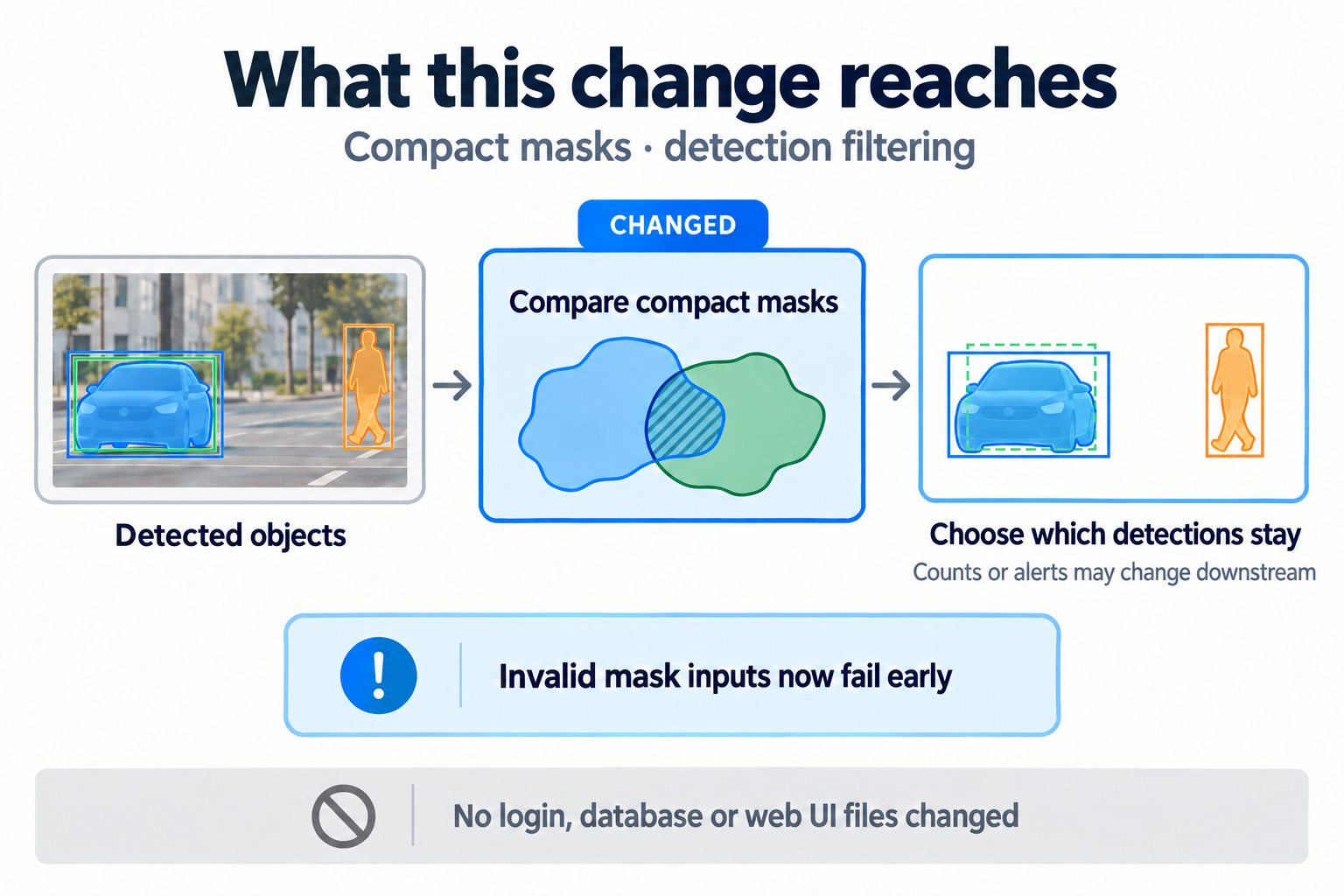
Supervision PR #2767 · Detections kept by the filter
Mask formatBeforeAfter
Dense11
Compact21

Changing the mask format used to change the count. The regression test checks that callers get the same detection either way.

Walk through your own pull request

Free during beta.

Sign in with GitHubContact us
  1. Connect a repositoryYou choose which repositories Storyline can read. Your organization may need to approve the installation.
  2. Pick a PR to reviewChoose an open PR in your workspace or paste its GitHub link.
  3. Set up automatic walkthroughsA repository admin can turn on walkthroughs for new PRs. Storyline posts a link on each one.